Google Tag Manager boosted with the edge, the only way of collecting first party data
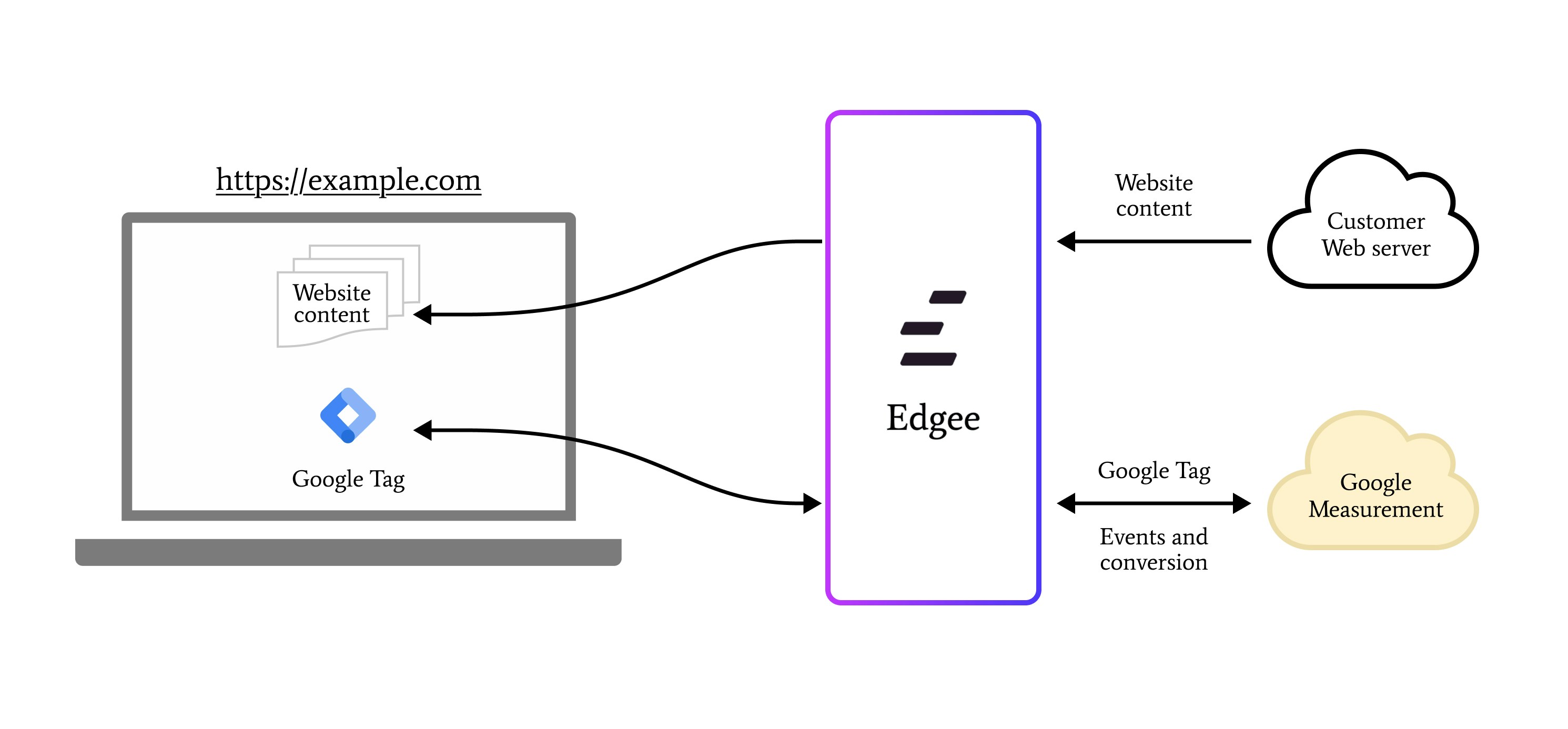
Google Tag Manager is one of the most popular and powerful tag management platforms available. However, due to its widespread use, it often faces challenges with ad blockers and privacy-related restrictions.Google Tag Gateway offers an innovative solution to these challenges. It allows you to deploy Google tags through your own first-party infrastructure, hosted directly on your website’s domain. By acting as an intermediary between your website and Google’s services, the Gateway provides:
Enhanced measurement capabilities
Better resistance to ad blockers and Safari’s privacy protection
Full control over your data flow
Best of all, Edgee handles all the infrastructure hosting and maintenance for you - there’s no need to set up or manage servers yourself.
Our Google Tag Gateway component transforms how Google Tag Manager works on your site by making it fully first-party and hosting it directly on your main domain.Here’s how it’s different from traditional GTM:
Traditional GTM loads tags from Google’s domains, which can be blocked
Server-side tagging typically operates behind a subdomain, which is easily detected by adblockers. This unique integration allows Edgee to improve these technologies and make them run at the edge.
Edgee acts as a secure proxy between your site and GTM
Your GTM container and events work exactly as before
Advanced edge processing prevents ad blockers from detecting the tags
This means you get all the power of Google Tag Manager while improving performance and reliability through edge delivery.
When using the gateway setup, you need to specify a custom path prefix for the Google Tag Manager to serve your tags on your main domain.
This helps prevent ad blockers from detecting and blocking the tags. You can change this value at any time to maintain effectiveness.
We automatically generate one for you, but feel free to modify it if needed.For example, if you choose /gtm as a path prefix, all requests coming to www.yourdomain.com/gtm/something will be forwarded to your Google Tag Manager.
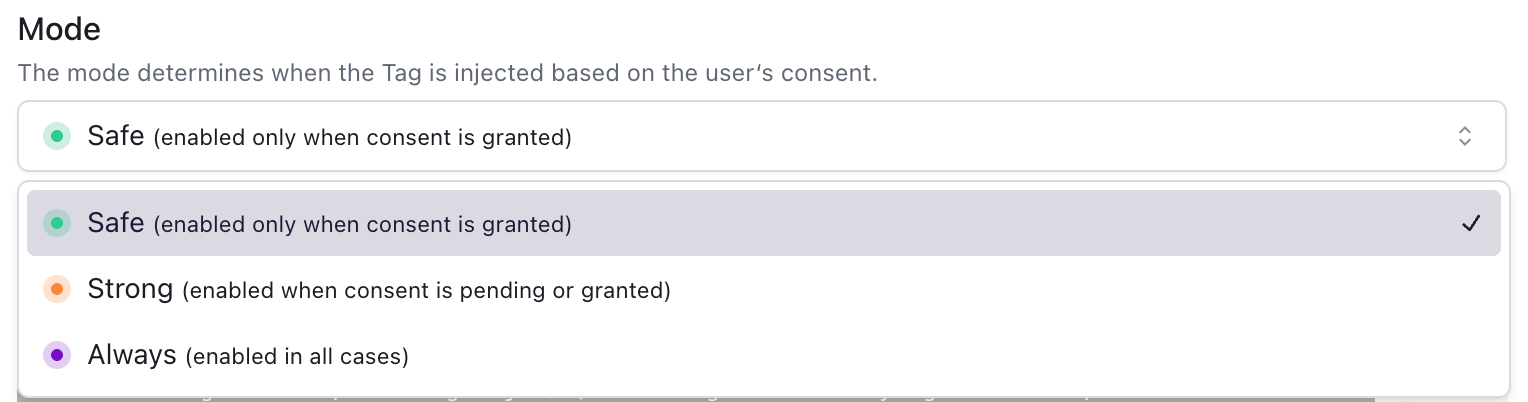
When enabled, the Google Tag Manager will be automatically added to your website. If disabled, you’ll need to add the Google Tag Manager code to your website manually and handle its initialization based on user consent.





 Google Tag Manager is one of the most popular and powerful tag management platforms available. However, due to its widespread use, it often faces challenges with ad blockers and privacy-related restrictions.
Google Tag Gateway offers an innovative solution to these challenges. It allows you to deploy Google tags through your own first-party infrastructure, hosted directly on your website’s domain. By acting as an intermediary between your website and Google’s services, the Gateway provides:
Google Tag Manager is one of the most popular and powerful tag management platforms available. However, due to its widespread use, it often faces challenges with ad blockers and privacy-related restrictions.
Google Tag Gateway offers an innovative solution to these challenges. It allows you to deploy Google tags through your own first-party infrastructure, hosted directly on your website’s domain. By acting as an intermediary between your website and Google’s services, the Gateway provides: