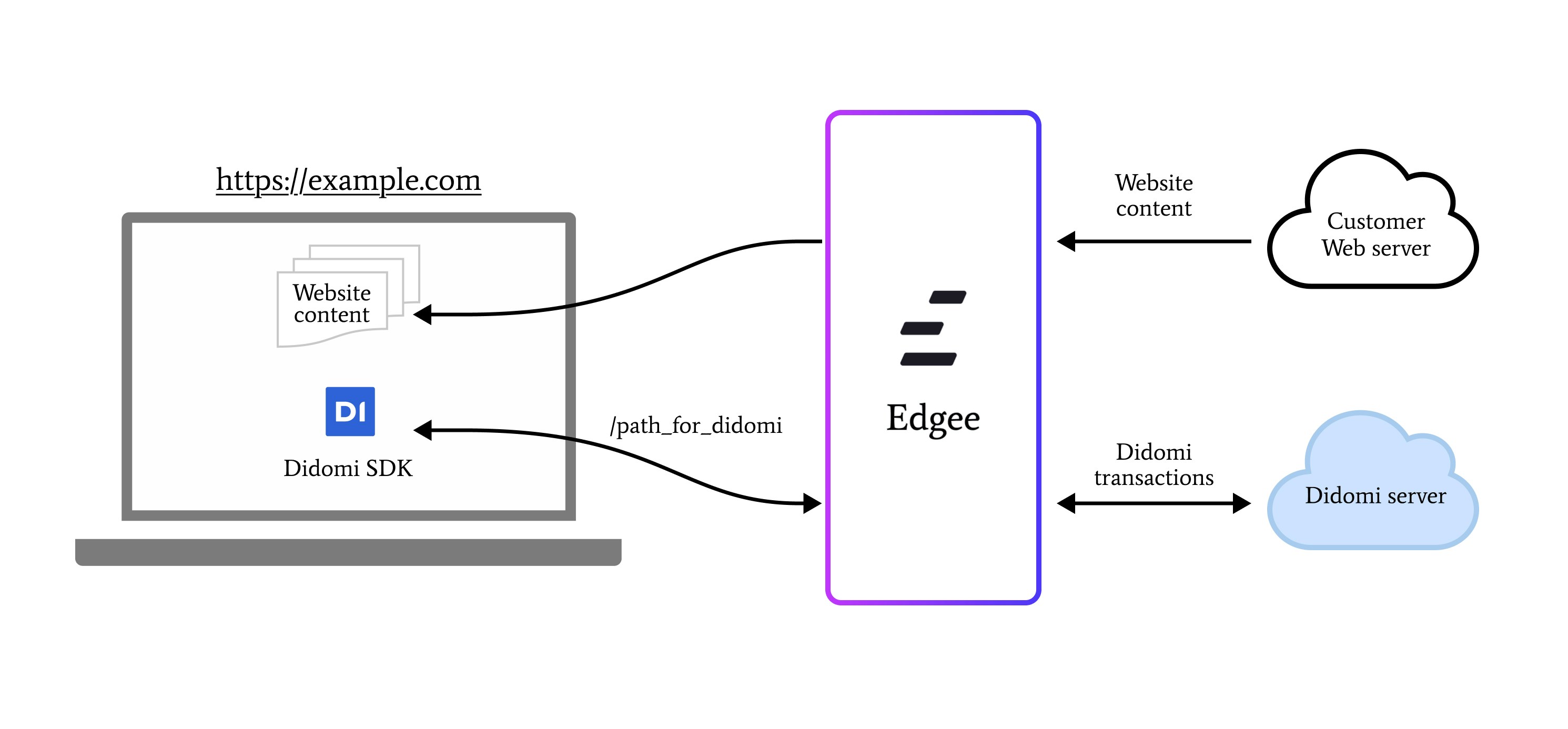
Integrate Didomi CMP at the edge and automatically handle consent management…
Didomi helps you collect user consent on your website and comply with international data privacy regulations.With this component, you no longer need to specify your users’ consent
via the Edgee SDK or Edgee Data Layer: everything is done automatically.The consent status will be automatically set to pending, granted, or denied based on the Didomi cookie.
Edgee offers a Gateway for Didomi, which allows you to use the Didomi resources on your own domain and prevents ad blockers from detecting and blocking the Didomi resources.
In order to use the Didomi Gateway, you need to activate it the component settings. Configure the following settings:
Specify a custom path prefix for your Didomi SDK and API calls. This helps prevent ad blockers from detecting and blocking the tag.For example: /didomi, but we suggest you to use a random path prefix to avoid conflicts with other components and to avoid ad blockers from detecting and blocking Didomi resources.
Enter your Didomi Public API Key, which can be found in the Didomi Console under the Embedding section when editing a widget.For example: f9b4c6b2-7c8e-43fd-9c79-f1fc18663cf0
Optional: Enter your notice ID if using a specific consent notice. This can be found in the URL when editing a consent notice in your Didomi Console.For example: If your URL is https://console.didomi.io/didomi/widgets/notices/TQnRn8sr/embed, the notice ID would be TQnRn8sr
If you’ve disabled automatic SDK injection, you’ll need to modify the Didomi SDK in your website code to work with the Gateway.
Follow the instructions in the Edgee console and refer to the Didomi documentation for more details.





 Didomi helps you collect user consent on your website and comply with international data privacy regulations.
With this component, you no longer need to specify your users’ consent
via the Edgee SDK or Edgee Data Layer: everything is done automatically.
The consent status will be automatically set to
Didomi helps you collect user consent on your website and comply with international data privacy regulations.
With this component, you no longer need to specify your users’ consent
via the Edgee SDK or Edgee Data Layer: everything is done automatically.
The consent status will be automatically set to